How to Organize Charging Cables Without Tangles
The cable pile usually starts small: one phone charger on the nightstand, a laptop cord under the desk, a mystery USB cable in the kitchen drawer. Then a device dies, everyone starts digging, and the whole setup feels more complicated than it should. To organize charging cables, you do not need a perfectly styled tech closet. You need a simple system that keeps the cables you use easy to reach and the extras out of the way.
The best setup depends on where you charge, how many people share the space, and whether your devices use the same connector. Start by creating order around your real routines, not an idealized version of them.
Start by sorting every charging cable
Gather charging cables from the places they tend to hide: nightstands, backpacks, kitchen drawers, desk drawers, the living room, and that box of old electronics you have been avoiding. This step is less about creating a huge project and more about seeing what you already own.
Separate cables into three groups: daily-use chargers, occasional-use chargers, and unknown or outdated cords. Daily-use chargers include the phone, smartwatch, tablet, laptop, earbuds, and anything else you charge every week. Occasional-use cables might belong to a camera, handheld game system, portable speaker, or travel battery pack.
For unknown cables, pause before tossing them. Look for a label, connector shape, or device match. If you cannot identify it and have not used it in a year, it is probably safe to recycle through an electronics recycling program rather than letting it take up permanent drawer space. Damaged cords, fraying insulation, bent plugs, and chargers that run unusually hot should also go.
This edit matters because cable organizers can quickly become another place to store clutter. A tidy box full of obsolete cords still makes it harder to find the charger you need.
Choose a home for each charging routine
Most homes do better with a few small charging zones than one large, overstuffed cable station. Think about where devices naturally land at the end of the day.
At the desk
A work-from-home desk needs cords that stay connected but do not spread across the floor or desktop. Use adhesive cable clips along the back or side of the desk to hold charging ends in place. That small detail prevents cables from slipping behind furniture every time you unplug a device.
If power strips and bulky adapters are visible beneath the desk, put them in a ventilated cable management box or mount the power strip under the desktop. Make sure the box is large enough for adapters and has openings that do not sharply bend cords. Avoid packing it tightly, especially if several devices are charging at once.
For a desk drawer, a shallow tray with divided sections works well for backup cables, adapters, and portable chargers. Keep only one spare of common cables there. More than that usually becomes a tangle you will sort again later.
At the nightstand
Nightstand charging gets chaotic because the cords are used in low light and often shared with books, glasses, water bottles, and other bedtime essentials. A cable clip on the back edge or side of the nightstand keeps the phone charger within reach. If you rent or do not want adhesive on furniture, a weighted cable holder can do the same job without a permanent attachment.
A small bedside basket is useful when you charge more than one item, such as a phone, e-reader, smartwatch, or earbuds. Choose one with an open weave or a built-in cord opening, then place a power strip inside or just behind it. Keep drinks away from this zone, and leave enough airflow around charging blocks.
In a shared family space
The kitchen counter is often the default family charging station, even though it can become a messy landing zone fast. If that is where devices truly get charged, work with the habit instead of fighting it. Set up a tray, basket, or multi-device charging dock in one designated spot away from the sink and food prep area.
Label each cable if several people use the station. Simple tags marked “Mom’s phone,” “tablet,” or “headphones” can prevent daily arguments and stop one person from taking the only compatible cord. For families with a mix of devices, a charging station with slots can keep phones and tablets upright while the cords stay mostly hidden behind it.
Use the right organizer for the job
There is no single best cable organizer. The right choice comes down to whether cables need to stay plugged in, travel with you, or wait in storage.
Cable clips are best for active cords at desks, nightstands, and kitchen stations. They keep an unplugged cable end from falling out of reach. Velcro cable ties are ideal for longer cables that need to be bundled without being permanently twisted. They are reusable, adjustable, and easier on cords than tight rubber bands.
For drawer storage, use a divided organizer, small bins, or clear zip pouches. Pouches are especially helpful for grouping a complete set together, such as a laptop charger, HDMI adapter, and presentation clicker. Clear containers make it easier to identify contents, while labels help if the cables look similar.
A travel electronics organizer is worth having if you regularly work from coffee shops, travel for work, or move between a dorm and home. Look for elastic loops, mesh pockets, and room for charging blocks. It does not need to hold every cord you own. Its job is to keep your dependable travel essentials together so you are not borrowing a phone charger from the bedroom five minutes before leaving.
Label the cables that look alike
A few labels can save more time than an elaborate storage system. This is especially true for USB-C cables, which can look identical but may have very different charging speeds or data capabilities.
Use small wraparound labels, colored cable tags, or a label maker to identify cables by device or purpose. For example, mark one as “Laptop 100W,” another as “Car,” and another as “Camera.” You do not need to label every single phone cable if they are interchangeable. Label the ones that are expensive, specialized, or easy to confuse.
It is also smart to label power adapters that belong with a specific device. A drawer full of black charging bricks is not much better than a knot of cables if you still have to test each one.
Keep cords from tangling in storage
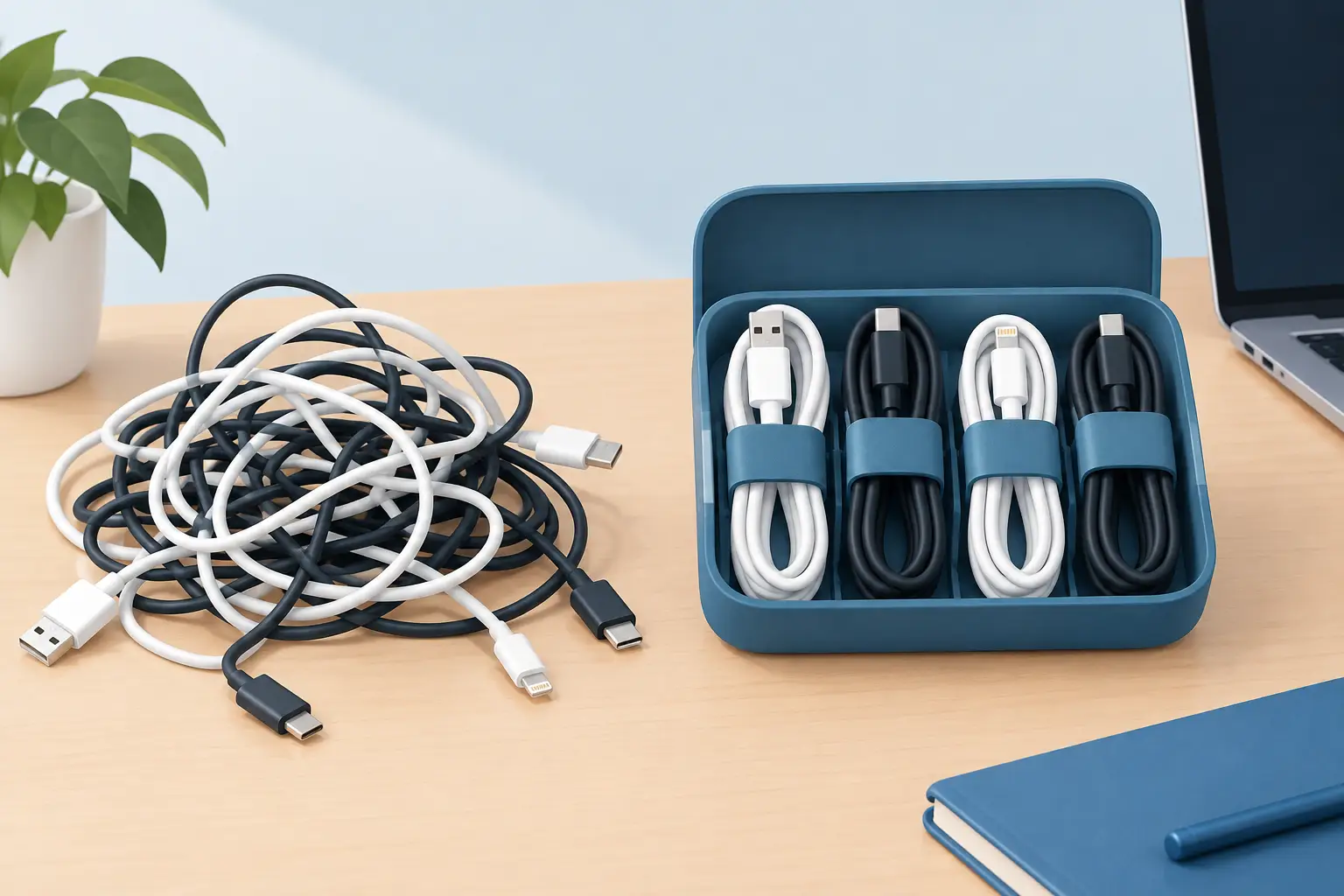
Before putting away an occasional-use cable, loosely coil it in an oval shape and secure it with a Velcro tie. Do not wrap the cord tightly around your hand or the power adapter. Tight bends can strain internal wires over time, particularly near the connector ends.
Store each cable in its own compartment, pouch, or labeled bag. If you use a larger bin, add smaller containers inside rather than dropping every cord into one deep box. This creates a simple “store within storage” system that is much easier to maintain.
Avoid storing charging cables in damp garages, hot cars, or crowded bins where they can be crushed under heavy items. A closet shelf, desk drawer, or labeled home office bin is usually a safer choice for electronics accessories.
Make the system easy to maintain
The most practical way to organize charging cables is to build a system you can reset in under two minutes. If every cable needs to be wrapped precisely, placed in a special sleeve, and filed in a complicated category, it will not last through a busy week.
Once a month, return stray cords to their zones and remove anything that no longer works. When you buy a new device, decide where its charger will live before the packaging disappears. If it replaces an older device, consider whether you still need the old cable at all.
A calmer charging setup is not about owning matching organizers or hiding every wire. It is about being able to plug in what you need, when you need it, without searching through a drawer full of knots.