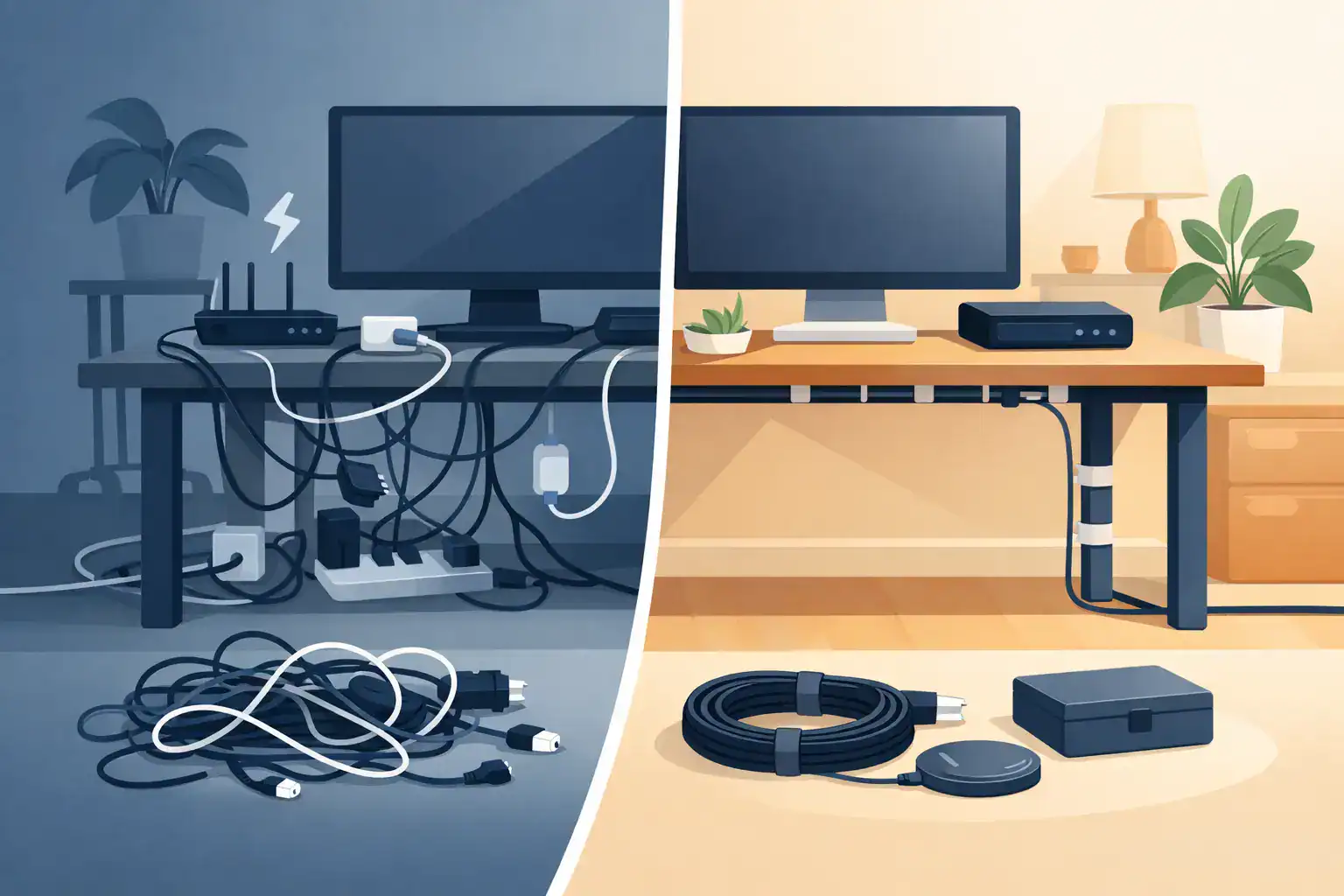
Cable Management Ideas for a Calmer Home
A desk can be clean, a media console can be stylish, and a kitchen counter can be mostly clear, yet a few loose cords can make the whole area feel unfinished. Cable management is one of those small home organization projects that creates an immediate difference: less visual clutter, easier cleaning, and fewer moments spent tracing a mystery charger to its source.
The goal is not to make every cable disappear or buy a complicated system. It is to give each cord a sensible route, keep the items you use accessible, and stop abandoned chargers from becoming a tangled pile in every room.
Cable Management Starts With What You Actually Use
Before buying clips, sleeves, or a new power strip, take ten minutes to look at the cords already in the room. Unplug devices you no longer use, remove dead chargers, and set aside anything that belongs somewhere else. A cable connected to nothing is still clutter.
Then separate what remains into three groups: cords that stay plugged in, cords you regularly grab and use, and extras you need to keep but do not use daily. This simple sort prevents a common mistake: securing every cord together, then realizing your laptop charger is trapped behind the desk when you need to take it with you.
Labeling can be surprisingly helpful in busy zones. A small wraparound label on the plug end can identify a monitor, router, lamp, printer, or phone charger in seconds. This matters most behind a television stand or home office desk, where several black cords can look identical. Labels do not need to be fancy. The point is to make future troubleshooting less annoying.
Start With the Biggest Visual Problem
Most homes do not need a whole-house cable project. Start with the place that bothers you every day. For many people, that is the home office, the area around the TV, or the kitchen charging station.
Tidy a home office without trapping your setup
Desk cables tend to multiply because workstations combine power, screens, phones, headphones, and personal devices. Begin by moving the power strip off the floor if possible. A mounted power-strip holder, under-desk tray, or screw-free adhesive mount can keep the bulky part of the setup out of sight and away from dust bunnies.
Use reusable hook-and-loop ties to bundle cords that travel in the same direction, such as monitor and computer cables running down the back of a desk. These are more practical than single-use zip ties because your setup may change. Keep a little slack near devices that move, especially a standing desk, monitor arm, or laptop. A cable pulled tight may look neat for a day, but it can strain a connector or come loose when the desk moves.
For cords you frequently unplug, such as a laptop charger, add a weighted cable holder or adhesive cable clip at the desk edge. It keeps the end from dropping behind furniture, which is often the real source of desk-cable frustration.
Make a TV console easier to clean
Behind a media console, the challenge is usually volume. TVs, streaming devices, game consoles, soundbars, and internet equipment create a dense cluster of cables in a very visible part of the home.
A cable management box can conceal a power strip and its adapters while making the floor look less chaotic. Choose one with enough ventilation and room for larger plugs. It should hide cords, not cram them into a warm, inaccessible container. Route each device cable along the back of the console with adhesive clips, leaving enough length to pull the console forward for cleaning or repairs.
If you rent, removable adhesive clips and fabric cable sleeves are often a better choice than drilling holes into furniture or walls. Test adhesive on an inconspicuous spot first, particularly on painted surfaces, veneer, or older furniture finishes.
Create a charging zone that does not take over the kitchen
Kitchen counters become cable clutter hotspots when every family member charges a phone, tablet, smartwatch, or earbuds in the same place. A charging station works best when it has a defined home: one small tray, drawer, cabinet shelf, or sideboard corner rather than half the counter.
A drawer charging setup can be especially useful if there is an outlet nearby and the drawer can close without pinching cords. Use short charging cables, drawer dividers, and a small cord organizer to prevent the familiar knot of white and black wires. If a drawer is not practical, a compact charging dock or basket can contain the visual clutter while keeping devices easy to find.
Avoid running cables across sinks, stovetops, or food-prep areas. Convenience is not worth creating a cleaning or safety headache.
Choose Tools Based on the Job
You do not need every cable organization product on the market. The right tool depends on whether you are hiding cords, guiding them, bundling them, or storing extras.
For most homes, these five categories solve the majority of problems:
- Adhesive cable clips guide a single cord along a desk, nightstand, wall edge, or console back.
- Reusable hook-and-loop ties bundle cords that belong together and can be opened again later.
- Cable sleeves cover several cords traveling between furniture and an outlet.
- Cable boxes conceal power strips and bulky adapters in living areas or offices.
- Small labeled bins or zip pouches keep spare chargers, adapters, and travel cables from becoming drawer clutter.
Cord covers are useful when a cable must cross a wall or floor area, but they are not always the best first choice. They can be more visible than expected, and poor installation can leave a rental wall looking worse. Use them when safety or a clean route truly calls for one, not just because a cord exists.
Keep Safety Ahead of a Cleaner Look
Good cable management should make a room safer, not merely more photogenic. Do not overload a power strip, run extension cords under rugs, pinch cords in doors or drawers, or connect power strips to other power strips. If a cord is frayed, hot to the touch, discolored, or repeatedly loses power, replace it rather than hiding the problem in a cable box.
Pay attention to heat-producing devices. Space heaters, air conditioners, large appliances, and other high-wattage items often need direct access to a wall outlet according to their manufacturer instructions. A neat-looking setup is never a reason to ignore those requirements.
Also consider access. Routers, surge protectors, and smart-home hubs may need an occasional reset. Keep their switches, plugs, and indicator lights reachable. The most organized setup is one you can use and maintain without taking apart the entire room.
Store Spare Cables So They Stay Useful
The cords you are not using deserve a system too. Tossing every old charger into one drawer creates a delayed version of the same problem. Wrap each cable loosely, secure it with a reusable tie, and group it by purpose: phone charging, computer accessories, audio and video, camera equipment, or travel.
Label the pouch or bin, and include a short note when a cable only works with a particular device. If you cannot identify what a cord is for and have not used it in a year or two, it may be time to recycle it through an electronics recycling program rather than keep it just in case.
A clear shoe-sized bin is usually enough for a household cable collection. Families with lots of tech may prefer a small divided organizer, while students and apartment dwellers can often manage with one labeled pouch for extras. The best system is the one that keeps useful cables easy to find without turning storage into a museum for outdated electronics.
Give Your Setup a Quick Reset
Cords rarely become chaotic all at once. A new lamp, temporary work device, holiday lights, or a borrowed charger gradually adds to the mess. Once your main areas are organized, a five-minute reset every month or two can keep the system working.
Put stray chargers back in their charging zone, reattach any loose clips, and remove cables for devices that have left the room. You do not need perfection behind every piece of furniture. You just need a setup that makes your home easier to live in, one cord at a time.



7 Comments
Comments are closed.